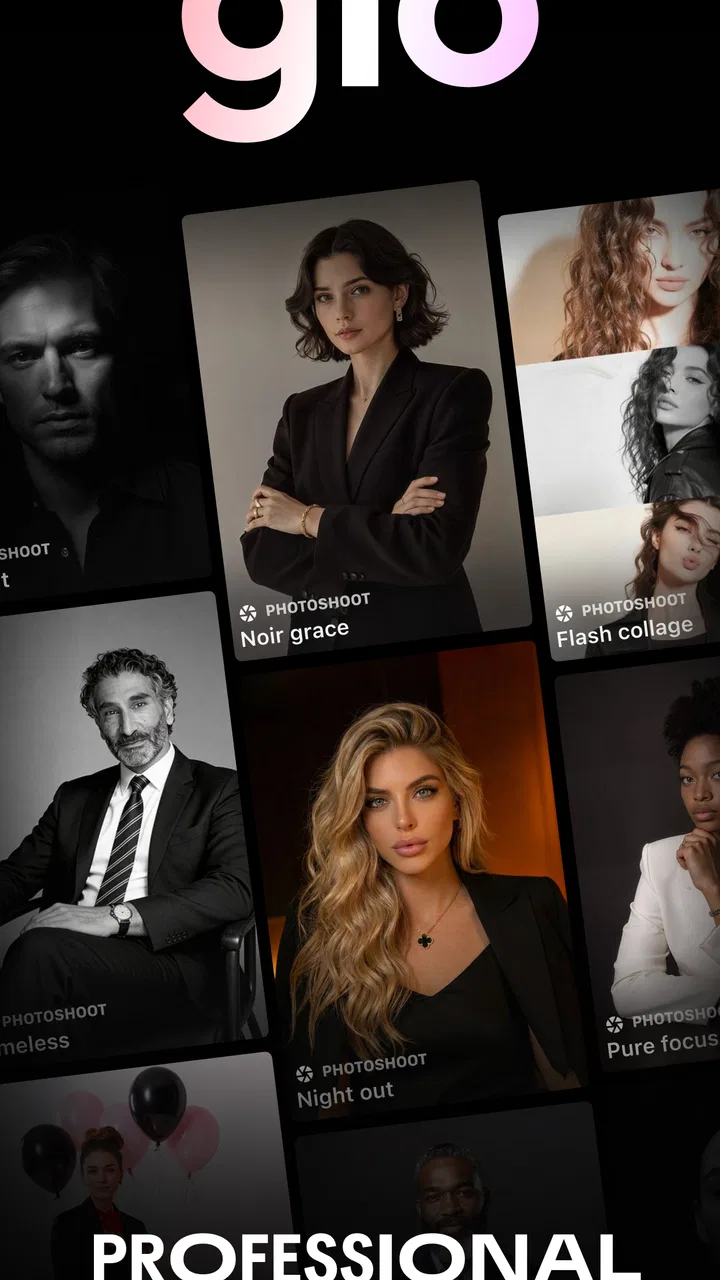
GIO: AI Headshot Generator
- 4.4
- Rating
- 5.00M
- Installs
- Free
- Price

 Analysis by App-foxy
I tested GIO: AI Headshot Generator as a photography app with one clear purpose: turning ordinary portraits into more polished professional headshots. That focus makes it easier to judge than a broad photo editor. I was not looking for a replacement for a full camera app or a creative filter collection; I wanted to see whether it could help someone create a credible profile image without arranging a studio session.
My overall impression is positive, especially for people who need a presentable business photo quickly. The app is free to install, and its audience is reflected in its strong 4.6 average from about 137 thousand ratings. It has also passed the five-million-install mark, which suggests that the headshot problem is common enough for a specialized tool to earn a substantial audience. Still, the result depends heavily on the source pictures you provide, and an AI-generated portrait can look less convincing when the input is casual, poorly lit, or inconsistent.
What the headshot capability really changes
The most useful thing here is not simply adding a dramatic effect to a selfie. The app tries to move a personal photo toward a business-ready image: cleaner presentation, a more deliberate portrait style, and a look that can fit a professional profile. That distinction matters. A normal social camera may make a picture brighter or more colorful, while this app is aimed at changing how the image communicates your identity.
You May Also Like

 Blood Strike: 2.5 Anniversary
Blood Strike’s Loadouts Turn Every Drop Into a Tactical Gamble
A close look at Blood Strike’s custom loadouts: how fast access to signature weapons reshapes its battle royale rhythm, rewards preparation, and narrows the gap between fights.

 Pandora - Music & Podcasts
Pandora’s Music Is Easy to Start, but Harder to Recover
Pandora’s strength is its low-effort path from a seed to a station. Its weak spot is how much confidence it asks you to place in connection, setup, and quiet recovery.

 8 Ball Pool
 Is Built on Rivalries, Rematches, and Routine
A close look at the rivalries, rematches, shared routines, and unanswered safety questions that turn a quick pool match into a persistent mobile community.

 Samsung Music
’s Quiet Strength Is Playing What You Already Own
Its reach comes less from spectacle than from dependable access to a personal library. That simplicity is both the app’s strongest retention engine and its ceiling.

 AccuWeather: Weather Radar
AccuWeather Review: A Quick, Clear Forecast for Everyday Decisions
For everyday plans, the best forecast is the one you can understand quickly. AccuWeather makes rain timing, radar, and local conditions easy to act on, with a few trade-offs.

 Hill Climb Racing
Why Hill Climb Racing Still Turns Crashes Into One More Run
A tiny car, a bumpy hill and one more upgrade: Hill Climb Racing keeps resurfacing because its simple chaos makes every near-miss feel personal.
More From Our News Desk



In my experience, that makes GIO more practical for a profile page, a résumé, a creator bio, a speaker page, or a small business account than for everyday snapshots. The result needs to look like you, but also like you made an effort. That balance is where the app has its strongest appeal. A headshot that is too casual can seem unfinished, while one that is too heavily altered may reduce trust.
The developer, Prequel Inc., places the app in the photography category, but its narrow use case gives it a different feel from a conventional editor. I would not open it when I want to crop vacation photos, adjust a landscape, or build a collage. I would open it when I need one convincing portrait and do not have the time, budget, or access to a photographer.
That specialization is also its first limitation. If you want detailed manual control over lighting, skin texture, color curves, masking, or background retouching, a traditional editor will usually give you more control. GIO is more appealing when speed and presentation matter more than making every adjustment yourself.
Why the starting photo matters more than most people expect
AI headshot tools can create the impression that the app does all the work. It does not. The input still sets the boundaries for a believable result. A clear face, a reasonably natural expression, and a simple composition give the system better material to work with than a dark group photo or an image with the face partly hidden.
I recommend preparing several source images rather than relying on one favorite selfie. Use different angles, but keep your appearance consistent. Include at least one image where your face is easy to see and another that shows your usual hairstyle. This is especially important because the app’s store summary highlights hair profile styling as part of the experience. If the hair is a meaningful part of your professional appearance, a single cropped or blurry source image may not represent you well.
A useful trick is to choose pictures from similar periods. Mixing an old image with a recent one can produce a portrait that feels subtly wrong even when the face looks attractive. The issue is not only facial identity; hair length, glasses, beard style, and general appearance all influence whether the final headshot feels like a current version of you.
How I used it in practice
The basic workflow feels more approachable than building a professional portrait manually. I treated the app as a guided transformation rather than a detailed editing workspace: start with suitable photos, select the direction that fits the intended use, review the generated result, and then decide whether it is convincing enough to keep. That makes the process accessible to someone who has never used layers, masks, or color controls.
The important part is reviewing the face at normal size, not only admiring the thumbnail. Zoom in mentally by looking at the eyes, teeth, hairline, ears, and the transition between the face and background. AI portraits can seem excellent at a glance but reveal small oddities when used as a profile image. I would also compare the generated result with a recent unedited photo before using it publicly. If friends would immediately recognize the style but not the person, the transformation has gone too far.
For a professional profile, I prefer a restrained result. A slightly improved portrait with natural proportions is more useful than an image that looks like a fashion campaign. The app’s appeal comes from reducing the effort needed to look prepared, not from making every user appear dramatically different.
A practical workflow for a job application
Imagine that I am applying for a role and discover that my current profile picture is a casual image taken at a restaurant. I would first gather a few recent photos with my face unobstructed, avoiding sunglasses, heavy shadows, and extreme expressions. I would then use GIO to create a more formal alternative and compare it with the original.
Before uploading that result to a résumé or professional network, I would check whether the clothing, hair, and background match the expectations of the industry. A polished headshot can help a profile look complete, but it should not suggest a level of formality that conflicts with the job. Someone applying to a law firm may want a different tone from someone building a personal brand in design or entertainment.
I would also keep the original source image and the generated version separately. That gives me a fallback if I later decide the AI result feels too artificial. This is a small habit, but it prevents the common mistake of treating the first attractive output as automatically suitable for every context.
Hair styling is useful, but it needs a reality check
The hair profile stylist angle is one of the more interesting parts of the app because hair strongly affects whether a headshot feels current and recognizable. It can help a user imagine how a different presentation might work, particularly when preparing a personal brand or updating a profile after a change in style.
At the same time, I would treat hair variations as visual references rather than promises of what a real haircut will look like. Hair has texture, volume, and movement that a generated portrait may simplify. A style that looks balanced in a still image may not suit the actual shape of your face or the way your hair behaves in daily life.
For that reason, I find this function most useful for narrowing down a direction. It can help me decide whether a cleaner, shorter, or more styled appearance fits the professional image I want to project. I would not use it as the only basis for making a major appearance decision.
Where GIO performs best
The best scenario is a person who needs a credible headshot soon and has no suitable portrait available. Freelancers, students, job seekers, consultants, small business owners, and creators can all understand the value. They may not need a full photo session; they need one image that looks intentional enough for a profile or introduction.
It is also helpful when the problem is inconsistency across online profiles. If one account uses a dark selfie, another uses a cropped group picture, and a third has no image at all, a generated headshot can provide a more unified starting point. I would still keep the style natural so the same person appears across platforms rather than producing several unrelated personas.
Another good use is preparing before a real photo session. By experimenting with hair presentation and overall portrait direction, I can identify what I want from an actual photographer. That can make the later session more efficient because I already have a sense of the framing and professional tone I prefer.
The app is less suitable when accuracy is critical and the image will be treated as formal identification. It is also not my first choice for a company that needs consistent team portraits under controlled lighting. In that situation, a real photographer or a carefully managed studio workflow offers better control over identity, composition, and consistency between people.
How it compares with ordinary photo editors
A standard editor is better when I already have a good portrait and only need small corrections. Cropping, exposure, color balance, and modest retouching can often preserve the exact person more reliably than a stronger AI transformation. Manual tools also make it easier to follow a specific brand palette or match an existing set of photographs.
GIO is more convenient when the starting picture is not professional enough and I want the app to handle the larger visual shift. That convenience comes with less direct control. I am accepting the app’s interpretation of lighting, styling, and presentation instead of specifying every step.
A real photographer remains the better option for executives, actors, public speakers, and anyone whose image will be used repeatedly in high-visibility material. A photographer can guide posture, expression, clothing, and light in real time. GIO is strongest in the middle ground: more ambitious than a filter, faster and simpler than a photo session.
The trade-offs I noticed before recommending it
The first trade-off is authenticity. The more polished the result becomes, the more carefully I need to check whether it still resembles me. This is not a reason to avoid the app, but it is a reason to use a light touch. A professional headshot should remove distractions, not erase the features people recognize.
The second is dependence on source material. Users sometimes blame the generator when the real problem is a weak input photo. If the image is blurry, badly framed, or taken under harsh light, the app has less reliable information to work with. Spending a few minutes selecting better inputs can improve the result more than repeatedly generating versions from the same poor selfie.
The third is cost structure. The app is free, but it includes in-app purchases ranging from $0.99 to $49.99 per item. That means I would inspect the available choices before committing to a paid option and decide whether the expected improvement is worth it for my specific use. Someone who needs one profile image may judge the value differently from someone experimenting with many styles.
There is also a practical question of patience. AI-generated portraits are not always perfect on the first attempt, so users who expect an instant, flawless result may become frustrated. I would plan time to compare outputs, check facial details, and reject versions that look attractive but do not feel like me.
The Teen content rating is another reminder that the app is not aimed exclusively at corporate users. That broad audience can be useful for creators and younger people building their first professional profile, but it also means I would be thoughtful about where a generated image is shared and whether the chosen style fits the context.
Small decisions that improve the final result
- Choose consistency over quantity: several recent photos with similar hair and facial appearance are more useful than a large collection from different years.
- Judge the eyes and hairline first: those areas strongly affect recognition, even when the overall composition looks polished.
- Match the image to its destination: a restrained portrait works better for a résumé, while a more expressive style may suit a creator profile.
- Keep a natural backup: save an original photo so you can switch back if the generated version feels too altered later.
These steps do not turn the app into a professional studio, but they make its central capability more dependable. They also encourage a healthier way to use AI portrait tools: as assistance with presentation, not as a substitute for checking whether the image is truthful and appropriate.
Who will gain the most from this app?
I think GIO is a good match for people who are uncomfortable arranging a photo shoot but still want a more polished online presence. It reduces the barrier between “I need a headshot” and “I have something usable.” That is a meaningful benefit for a freelancer updating a portfolio late at night or a student preparing a profile before applying for an opportunity.
It is also a sensible option for users who enjoy testing different professional looks without learning a complex editor. The hair styling angle adds value for anyone considering how their appearance might read in a business setting, as long as the generated styles are treated as visual experiments rather than exact predictions.
I would skip it if I need precise retouching controls, strict photographic accuracy, a guaranteed likeness, or a coordinated set of portraits for a whole organization. In those cases, a manual editor or real photographer is the safer choice. I would also skip it if I strongly prefer untouched photography and would feel uneasy explaining that an image was AI-generated.
For everyone else, the free entry point makes it easy to test the workflow before deciding whether any paid option is worthwhile. The app was released on August 25, 2023, and its current version is 1.24.1, with support beginning at operating system version 9. Those details make it approachable for many users, but compatibility should still be checked on the device before planning an important profile update.
After using it, I see GIO as a focused shortcut rather than a complete photography solution. Its best result is not the most glamorous portrait; it is the one that looks believable, current, and appropriate for the place where I plan to use it. If I start with good photos, review the details carefully, and keep the styling moderate, the app can save considerable effort.
My recommendation is to try it when you need a professional-looking headshot quickly, but keep your judgment in the workflow. GIO can improve the presentation of an ordinary portrait, yet the final decision still belongs to me: does this image look like the real person I want others to meet? When the answer is yes, the app does its job well. When the answer is no, a conventional editor or a real photographer will be the better investment.
FAQs for GIO: AI Headshot Generator
01What is GIO: AI Headshot Generator?
GIO: AI Headshot Generator is an innovative app that uses artificial intelligence to create professional-quality headshots. Users can upload their photos, and the AI optimizes them by enhancing features, adjusting lighting, and refining details to produce polished and professional results, ideal for resumes, social media profiles, or business presentations.
02How does GIO ensure privacy and data security?
GIO prioritizes user privacy by implementing robust data encryption methods. Photos uploaded to the app are processed securely, and users have control over their data, with options to delete images after processing. The app adheres to strict privacy policies to ensure user information is protected and not misused.
03What platforms is GIO available on, and is it free?
GIO: AI Headshot Generator is available on both Android and iOS platforms. While the app offers a free version with basic features, users can access premium options through in-app purchases, which provide enhanced tools and functionalities for a more refined headshot creation experience.
04Can GIO handle different photo quality levels?
Yes, GIO is designed to handle various photo quality levels. The AI engine adjusts its processing based on the uploaded image's resolution and quality, ensuring optimal enhancement. However, for the best results, it is recommended to upload high-resolution images with clear details.
05What are the key features of GIO: AI Headshot Generator?
GIO offers several key features, including AI-driven facial enhancement, lighting and background adjustments, and customizable editing tools. Users can also access a variety of filters and effects to personalize their headshots. The app provides a user-friendly interface, making it easy to navigate and use for all skill levels.
Pros
- Easy-to-use interface for quick edits.
- High-quality AI-generated headshots.
- Wide variety of customization options.
- Fast processing time for image generation.
- Secure and private user data handling.
Cons
- Limited free version features.
- Occasional AI inaccuracies in details.
- Requires stable internet connection.
- Subscription can be pricey for some.
- Lacks advanced photo editing tools.

GIO: AI Headshot Generator
Gallery